ZynDeskZynDesk
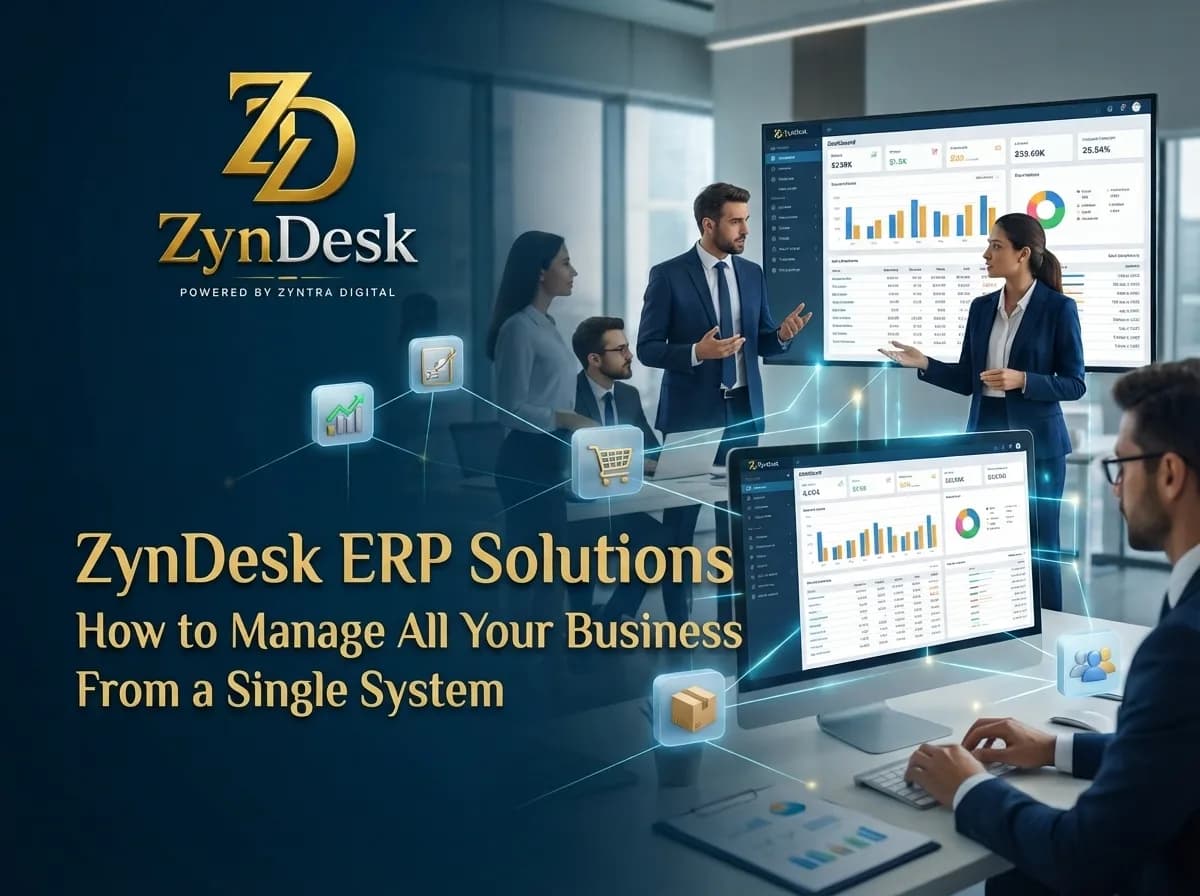
An ERP System for Businesses is a technology solution that helps organizations manage their financial, administrative, and operational processes through one integrated platform. Instead of using separate applications for accounting, sales, inventory, procurement, and human resources, an Enterprise Resource Planning system connects data and workflows across departments. This helps reduce duplicate data entry, improve operational control, and provide better visibility into business performance.
As businesses expand in Egypt and Saudi Arabia, transaction volumes increase, and companies manage more branches and departments, relying on Excel spreadsheets and disconnected systems becomes increasingly complicated. This is why organizations are turning to integrated ERP software that brings business data together in one environment, helping management monitor operations and make decisions based on more organized information.
This is where ZynDesk ERP comes in. It brings business functions and financial and administrative operations together in one system, with package and module options that allow companies to choose what suits their needs and expand as their business requirements evolve.
ERP stands for Enterprise Resource Planning. It refers to a software system designed to manage a company's resources and operations through an integrated database, allowing departments to share information instead of working with disconnected applications.
For example, when a company records a sales transaction, the transaction can be connected to inventory, invoicing, accounting, collections, and reporting, depending on the system configuration and the modules being used. This reduces the need to enter the same information repeatedly across different departments.
ERP systems typically include a range of business functions, such as:
Accounting and financial management.
Sales and customer management.
Procurement and supplier management.
Inventory and warehouse management.
Human resources and payroll.
Project and cost management.
Branch and entity management.
Reports and performance indicators.
You can explore the capabilities of ZynDesk ERP and its available modules through the ERP System for Businesses page.
Businesses often face recurring administrative challenges when they rely on separate tools to manage each department. Sales data may be stored in one application, accounting records in another, inventory in Excel spreadsheets, while management depends on manually prepared reports to understand the company's actual position.
This fragmentation can lead to delayed reporting, duplicate data entry, difficulty identifying errors, and poor coordination between departments.
ERP software for businesses helps address these challenges by connecting business processes within one unified system.
Key reasons why companies implement an ERP system include:
When departments work with connected data, information becomes more organized and accessible. This reduces the need to transfer data manually between different applications.
Connected workflows allow information to be recorded once and reused across related processes, rather than being entered repeatedly by different departments.
Management can monitor accounts, expenses, revenues, budgets, and cost centers, depending on the available modules and system configuration.
Connecting procurement with inventory and accounting helps businesses improve visibility into stock movements, suppliers, and purchasing costs.
Reports and performance indicators help management understand the company's financial and operational position and compare actual results with business targets.
Choosing a good ERP system is not simply about counting the features listed in a product brochure. It is about evaluating how well those features connect to the company's actual needs and business processes.
The following are the main functional groups to consider when selecting a business management system:
Business Function | Core Capabilities | Business Value |
|---|---|---|
Finance and Accounting | Accounts, journal entries, banking, budgets, and expenses | Organizes financial data and supports performance monitoring |
Sales and Revenue | Sales, contracts, and revenue management | Tracks sales activities and revenue |
Procurement and Inventory | Suppliers, purchasing, and warehouses | Organizes procurement and stock movements |
Projects and Professional Services | Projects, assignments, and cost management | Tracks work progress and associated costs |
Human Resources and Organizational Structure | Employees, payroll, branches, and business entities |
ZynDesk ERP includes six business groups comprising 21 modules. You can explore each group in more detail on the ZynDesk ERP page.
Businesses need continuous visibility into revenue, expenses, assets, liabilities, and bank accounts. As transaction volumes grow, financial management becomes more complicated when data is distributed across different applications and spreadsheets.
The accounting capabilities within an ERP platform help organize financial operations and connect them to other business activities.
Important functions to consider include:
Chart of accounts and journal entries.
General ledger and financial periods.
Financial statements and period closing.
Bank accounts and reconciliations.
Budgets and cost centers.
Customer and supplier accounts and collections.
Fixed assets and depreciation.
Expenses, cash advances, and employee advances.
Profitability monitoring by branch, customer, or project.
The value of integration lies in the fact that operational transactions often have a direct financial impact. When a sales invoice or inventory transaction is recorded, the related data can be reflected in accounting according to the system's configuration.
Inventory management is one of the most important business functions affecting the efficiency of trading and manufacturing companies. Inaccurate stock quantities or delayed updates can lead to excess inventory, stock shortages, or difficulty determining the value of available goods.
For this reason, a reliable inventory management system should provide tools for tracking products, warehouse movements, and connections with procurement, sales, and accounting.
Important inventory management capabilities include:
Organizing product and item records.
Tracking incoming and outgoing stock movements.
Managing warehouses.
Monitoring inventory balances.
Connecting procurement with inventory movements.
Linking sales transactions to stock deductions.
Tracking inventory costs according to the adopted valuation method.
In ZynDesk ERP, the inventory and warehouse module is connected to sales, procurement, and finance modules, helping businesses monitor how stock movements affect related operations.
Sales management is not limited to recording invoices. It also involves managing quotations, sales transactions, contracts, revenue, and collections.
A sales management system connected to ERP helps businesses link sales activities with other operations, ensuring that sales data does not remain isolated from inventory or accounting.
Functions businesses should evaluate include:
Recording sales transactions.
Managing quotations.
Tracking contracts and sales activities.
Issuing sales invoices.
Monitoring customer balances.
Recording collections.
Analyzing sales and revenue.
When sales are connected to inventory and accounting, businesses can monitor the transaction more comprehensively, from recording the sale to updating stock quantities and related financial records.
Businesses need to organize purchase requests, monitor suppliers, and track invoices and payments, particularly when dealing with numerous suppliers or managing multiple warehouses.
A procurement management system helps organize purchasing activities and connect them to inventory and accounting, providing clearer visibility into purchasing costs and financial obligations.
Capabilities to evaluate include:
Supplier data management.
Recording purchase transactions.
Tracking supplier invoices.
Organizing payments and outstanding balances.
Connecting procurement with inventory.
Monitoring procurement costs.
Businesses need to organize employee records, payroll, and related HR processes while maintaining clear permissions and responsibilities across the organization.
An ERP human resources module may include functions such as:
Employee data management.
Payroll organization.
Organizational structure management.
Connecting employee data with related financial operations.
Companies should ensure that the available modules cover their actual requirements and are suitable for their business operations and applicable local regulations.
The core value of an integrated ERP system is not simply having multiple applications within one platform. It is the ability of these applications to exchange data and connect business processes.
Consider a trading company that records a sales transaction for a customer. The process may involve the following stages:
Creating and approving a sales quotation.
Generating the sales invoice.
Updating inventory quantities after the sale.
Recording the financial impact of the transaction in accounting.
Monitoring the amount due from the customer.
Recording the collection and reconciling it with the bank.
Including the transaction in sales, profitability, and cash flow reports.
This integration reduces reliance on repeated manual data entry and gives management a clearer view of the complete business cycle.
The ZynDesk ERP page explains how sales, inventory, finance, banking, and reporting modules are connected through an example showing how a sales invoice flows across these processes.
Although these systems may share some functions, they differ in their management scope and the business processes they cover.
System Type | Primary Function | Typical Use |
|---|---|---|
Accounting Software | Recording and monitoring financial transactions | Accounts, journal entries, invoices, and financial reports |
CRM Software | Organizing customer relationships and tracking sales opportunities | Sales teams and customer service |
ERP System | Connecting financial, operational, and administrative processes | Managing multiple business departments within one integrated system |
If a company only needs to record financial transactions, accounting software may be sufficient. If it needs to manage customer relationships and sales opportunities, it may require a CRM system. However, when a company needs to connect accounting, sales, procurement, inventory, human resources, and other business operations, an ERP system for businesses becomes an option worth evaluating.
No single ERP system is suitable for every company. The right choice depends on business activities, operational processes, the number of users and branches, and management requirements.
Before subscribing to integrated ERP software, it is important to evaluate several criteria.
Make sure the system supports the core processes your company uses, rather than offering a long list of features that may not be relevant to your operations.
Test whether a sales transaction affects inventory and accounting, and whether procurement is connected to suppliers, warehouses, and financial records.
A company may initially need accounting and inventory, then add sales, human resources, or other modules as it grows. It is important to understand whether the system supports this type of expansion.
Compare the cost of each package, additional modules, user limits, and any other fees before making a purchasing decision.
Evaluate whether the system provides reports that help management monitor revenue, expenses, inventory, and profitability.
The company should be able to assign user permissions according to individual responsibilities and monitor important changes and transactions.
If the company operates in Egypt or Saudi Arabia, it is essential to verify whether the system's tax and electronic invoicing functions meet the official requirements applicable in each country. Compliance in one market should not automatically be assumed to mean compliance in another.
ZynDesk ERP provides a platform for managing business operations through 21 modules organized into six business groups. These groups cover finance and accounting, sales and revenue, procurement and inventory, projects and professional services, human resources and organizational structure, and governance, analytics, and integration.
Key aspects of the system include:
Connecting financial and operational processes within one platform.
Recording related transaction effects without repeatedly entering the same data.
Monitoring inventory, sales, procurement, and accounting.
Providing reports and performance indicators to track business results.
Offering modules for permissions, governance, and workflows.
Allowing companies to choose a ready-made package or select specific modules according to their requirements.
Adding more modules as business operations grow.
Businesses can explore the available modules and how they work through the official ZynDesk website, or visit the dedicated ERP System for Businesses page.
Suitability depends on the nature of the business, its operational processes, and the modules it requires.
Small businesses may begin with a limited set of financial and operational functions. Medium-sized companies may need to connect a larger number of departments, while organizations with multiple branches may require additional capabilities for managing entities, permissions, reports, and integrations.
ZynDesk ERP offers a choice between ready-made packages and selecting specific modules, rather than assuming that every company needs the same set of functions.
Before choosing a package, it is advisable to prepare a list of current business processes and the challenges the company wants to address, then compare those requirements with the available modules.
Business requirements vary according to the market, industry, and local regulations. Therefore, an ERP system should be evaluated based on the nature of the business and the country in which the organization operates.
Egyptian companies need to manage accounting, expenses, sales, procurement, and inventory while considering tax requirements and electronic invoicing obligations whenever they apply to their business activities.
Important evaluation points include:
Organizing accounts and journal entries.
Monitoring value-added tax and related obligations.
Verifying support for the requirements of Egypt's electronic invoicing system.
Managing inventory, suppliers, and customers.
Monitoring cash flows and financial reports.
Saudi businesses need to evaluate ERP systems according to their operational requirements and applicable local regulations, while considering financial operations, branches, inventory, procurement, and human resources.
It is important to independently verify the system's compliance with the requirements of the Zakat, Tax and Customs Authority (ZATCA) and electronic invoicing regulations, in addition to the company's operational needs.
Businesses should not rely on general statements such as "tax-compliant ERP system" without confirming the actual scope of compliance in the target market.
An ERP system for businesses is software that connects financial, administrative, and operational processes within one platform. These processes may include accounting, sales, procurement, inventory, and human resources. By connecting these functions, an ERP system helps centralize data, reduce duplicate information entry, and improve business performance monitoring.
The best ERP system is one that suits the company's business activities, covers its core processes, and connects the departments that need to work together. Companies should compare systems based on available modules, ease of use, reporting, permissions, cost, scalability, and compliance with local requirements.
Accounting software focuses on recording financial transactions and preparing accounting reports. An ERP system connects accounting with other business functions, such as sales, procurement, inventory, human resources, and projects, depending on the modules offered by the system.
Small businesses may need an ERP system when their operations expand or their data becomes distributed across multiple applications. An ERP system can help organize workflows and connect information, but the decision depends on transaction volume, operational complexity, budget, and actual business requirements.
Yes. An ERP system can be suitable for medium-sized and large businesses that need to connect departments and monitor operations, branches, inventory, and accounting. Companies should ensure that the system provides the modules, permissions, and reports required for their organizational size.
This option varies from one ERP system to another. With ZynDesk ERP, businesses can choose between ready-made packages or select specific modules from the available options, with the possibility of adding more modules according to business requirements and subscription terms.
Common ERP modules include accounting and finance, sales, procurement, inventory and warehouses, human resources, project management, reporting, and permissions. The scope of functionality varies from one system to another according to the product design and available packages.
CRM focuses on customer relationship management, sales opportunities, and customer communication. ERP connects a broader range of financial, operational, and administrative processes. A company may need both systems if it wants to manage customer relationships while connecting them to the rest of its business operations.
The right choice depends on the company's requirements and operating model. Cloud ERP typically allows users to access the system over the internet without relying on the same type of local infrastructure required by some traditional systems. However, businesses should compare hosting requirements, security, backups, costs, and internet connectivity before making a decision.
Yes. One of the core functions of ERP systems is connecting processes across departments. When a sales transaction is recorded, it can be linked to inventory, accounting, collections, and reporting, depending on the system configuration and the modules being used.
An ERP system can be suitable for businesses with multiple branches if it supports the required branch management, business entities, permissions, and reporting capabilities. Companies should verify how branch management works and how financial and operational data is consolidated before subscribing.
Yes. ZynDesk ERP supports electronic invoicing and the available tax-related functions for each country separately. It supports the requirements of Egypt's electronic invoicing system and ZATCA requirements in Saudi Arabia. ZynDesk also holds a license from the Information Technology Industry Development Agency (ITIDA).
The cost of an ERP system varies depending on the number of users, required modules, selected package, service level, and operational requirements. It is therefore advisable to review the available packages and compare what each one includes rather than making a decision based on price alone.
You can explore ZynDesk ERP pricing and packages.
You can explore the available modules and packages on the ZynDesk ERP page, review the pricing options, or contact the ZynDesk team to identify the most suitable option for your business.
Efficient business management is not simply about using multiple applications. It depends on how well those applications exchange data and provide a unified view of financial and operational activities.
An ERP system for businesses helps organize departments, connect processes, and reduce fragmented information, provided that companies select the right modules for their operations and verify that the system meets their requirements.
If you are looking for ERP software for businesses that brings financial and operational functions together in one integrated platform, explore ZynDesk ERP and discover its available modules and packages.
Organizes the workforce and organizational structure |
Governance, Analytics, and Integration | Permissions, reports, workflows, and integrations | Improves control and connects business processes |
Quick Links
Legal
ZynDesk is a product of
Zyntra Digital SolutionsZynDesk is built and run by Zyntra Digital Solutions.
© 2026 ZynDesk — All rights reserved to Zyntra Digital Solutions — Powered by Zyntra Digital